One Calendar, Every Session, Every Site: Plan your program with the AB Studios calendar
Most calendar tools are built to hold time. The AB Studios Calendar is built to hold your program for whenever you're ready to roll.
Most calendar tools are built to hold time. The AB Studios Calendar is built to hold your program for whenever you're ready to roll.
If you have ever managed afterschool scheduling, you know the drill. A shared Google Calendar for the team. A spreadsheet for who is running what. A printed copy taped to the wall. A group text when something changes. And somewhere—in a totally separate place—the actual lesson plans your staff are supposed to run.
It works, until it doesn’t. Until a coordinator calls out. Until grade levels get switched. Until a new staff member shows up and has no idea what is happening that afternoon.
The AB Studios Calendar was built specifically for site coordinators planning weekly afterschool programming. It is not a generic scheduler we adapted. It is a planning surface where your course content library, your AI-generated session plans, and your weekly schedule live in one connected view. Schedule a session on a Tuesday and everything your staff needs to run it travels with it.
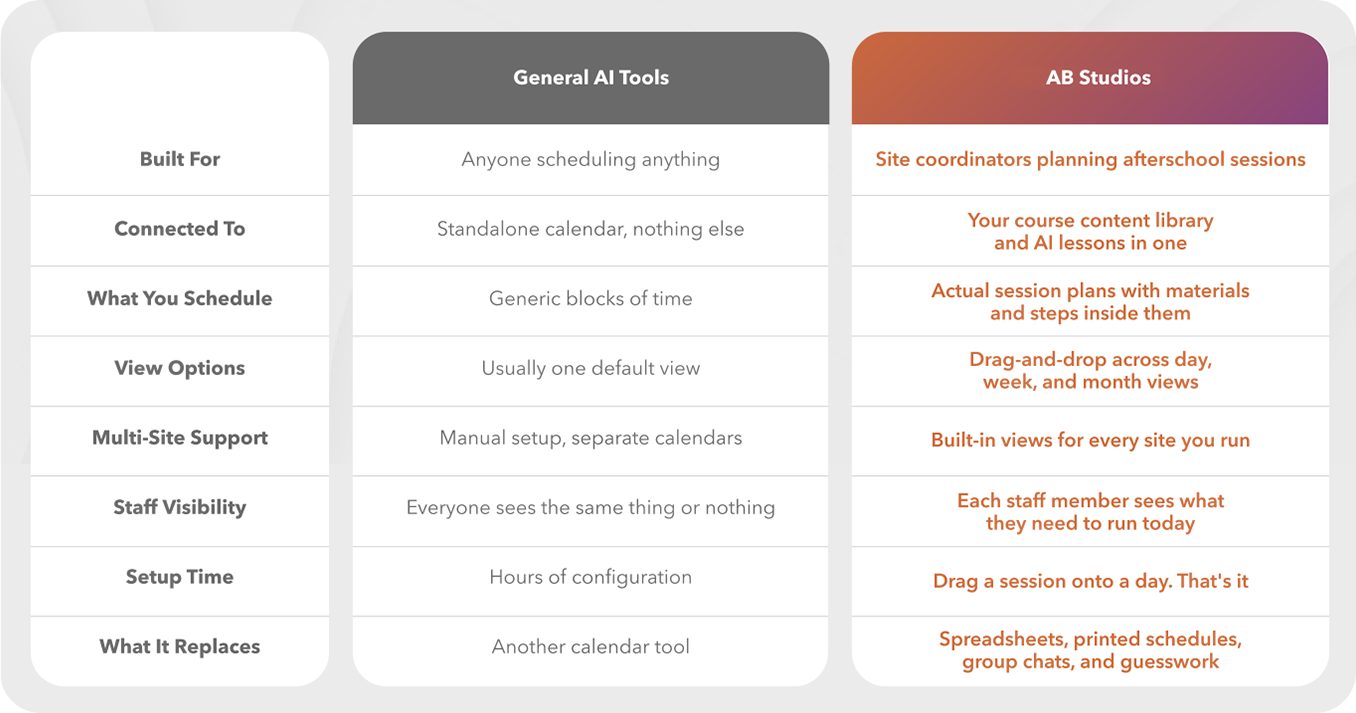
Is this just another calendar?
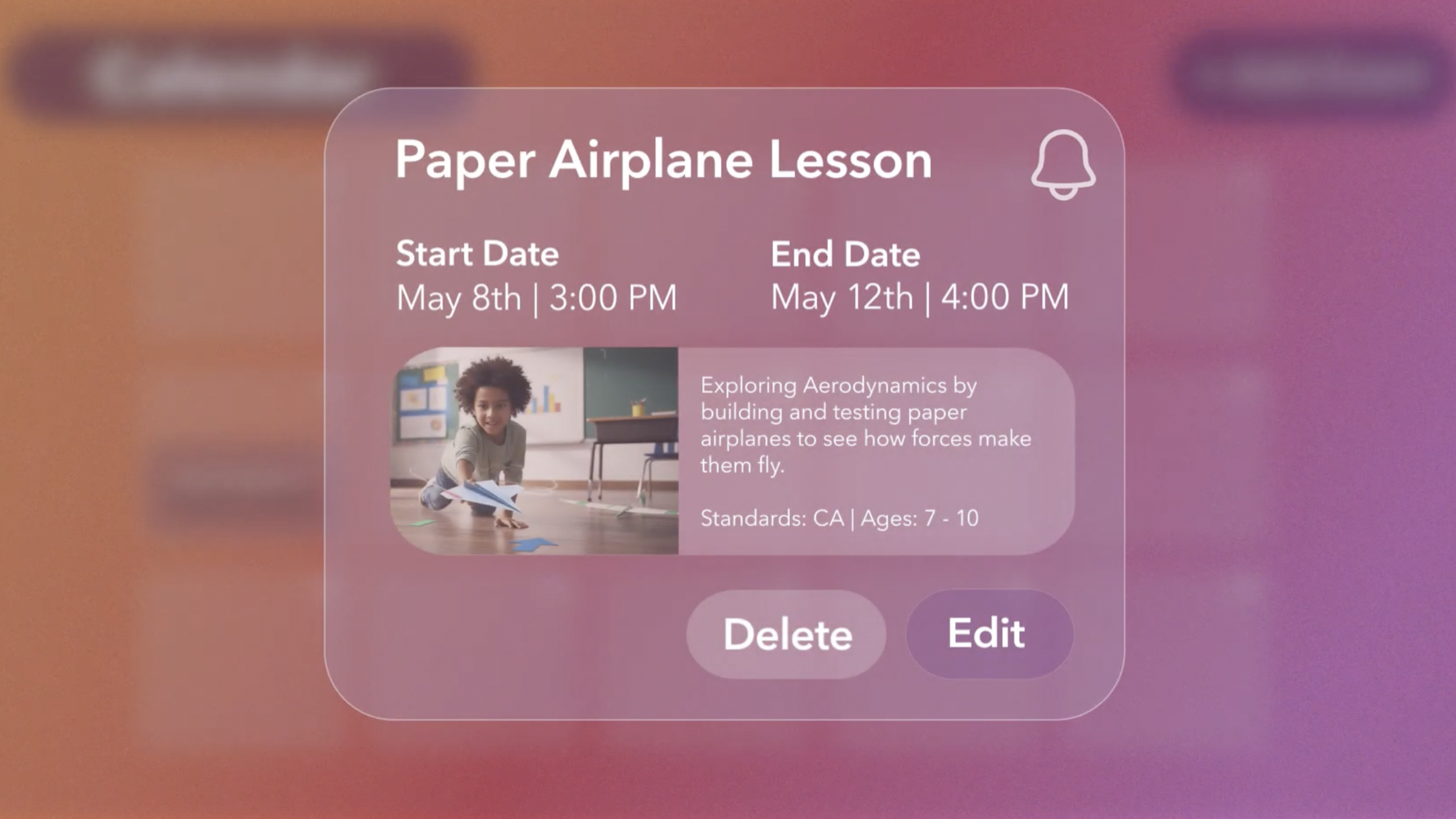
No. A calendar holds dates. The AB Studios Calendar holds your full program. When you drop a session onto a day, you are not scheduling a placeholder, you are scheduling the actual lesson plan with materials, steps, and reflection prompts attached. Your staff opens the day and the session is ready to run.
How does it connect to the AI lesson planner?
Directly. Generate a session with the AI planner and it lands in your content library. From there, schedule it onto any day, week, or site. No copy-pasting, no separate documents, no version control headaches. The plan you scheduled is the plan your staff runs.
How does it connect to the content library?
Your content library is the source of truth for what your program offers. The calendar pulls directly from it. Anything in your library can be scheduled. Anything scheduled is linked back to its source plan, so if you update the plan, you update the session.
Can I schedule across multiple sites?
Yes. Switch between day, week, and month views, and filter by site. See one location at a time, or see your whole organization on a single screen. Coordinators see their site. Directors see everything. Nobody has to maintain five separate calendars.
What do my staff actually see?
Staff see what they need to run today, in plain language, with the session plan one click away. No clutter, no other sites, no admin views. They walk in, open the calendar, and know exactly what to run.
How long does setup take?
Most coordinators have a week of programming scheduled in under ten minutes. Drag a session from your library onto a day. Adjust the time. Move on. There is no template to build, no integration to configure, no training session required.
What if my schedule changes last minute?
Drag and drop. Move a session to a different day, swap it for another from your library, or duplicate it across sites in one motion. The change is reflected everywhere instantly, so your team is always working from the current version.
Can I see the whole month at once?
Yes. Day view for staff running today's session. Week view for coordinators planning ahead. Month view for directors looking at the bigger picture. Same data, different lens.
Does it replace my current scheduling process?
It replaces the patchwork—The spreadsheets, the printed copies, the group texts about what changed—Everything your team needs to know about what is running and what lives in one place.
Does it work if my staff has no scheduling experience?
Yes. That is who we built it for. If your team can drag a file on a desktop, they can run the calendar. There is no scheduling logic to learn, no settings to configure.
A few real scenarios coordinators tell us about:
Planning next week in ten minutes
Open the calendar, pull up a week view, and place five sessions from your content library onto Monday through Friday. Adjust times if you need to by dragging and dropping for ultimate speed. Done. Your staff sees the week the moment you save.
Covering a last-minute callout
Your Tuesday lead is out. Open the day, add a different session from your library onto Tuesday, and your sub walks in with a ready-to-run plan instead of an awkward forty-five minutes of free play.
Running the same theme across three sites
Schedule the engineering-through-fashion session once, then duplicate it to your other sites with two clicks. Every coordinator sees it on their site’s calendar. Every staff member walks in with the same plan.
Showing a funder what you actually do
Pull up month view, filter by site, and show a funder exactly what programming ran, when, and aligned to which standards. No exporting, no formatting, no scrambling the night before the report is due.
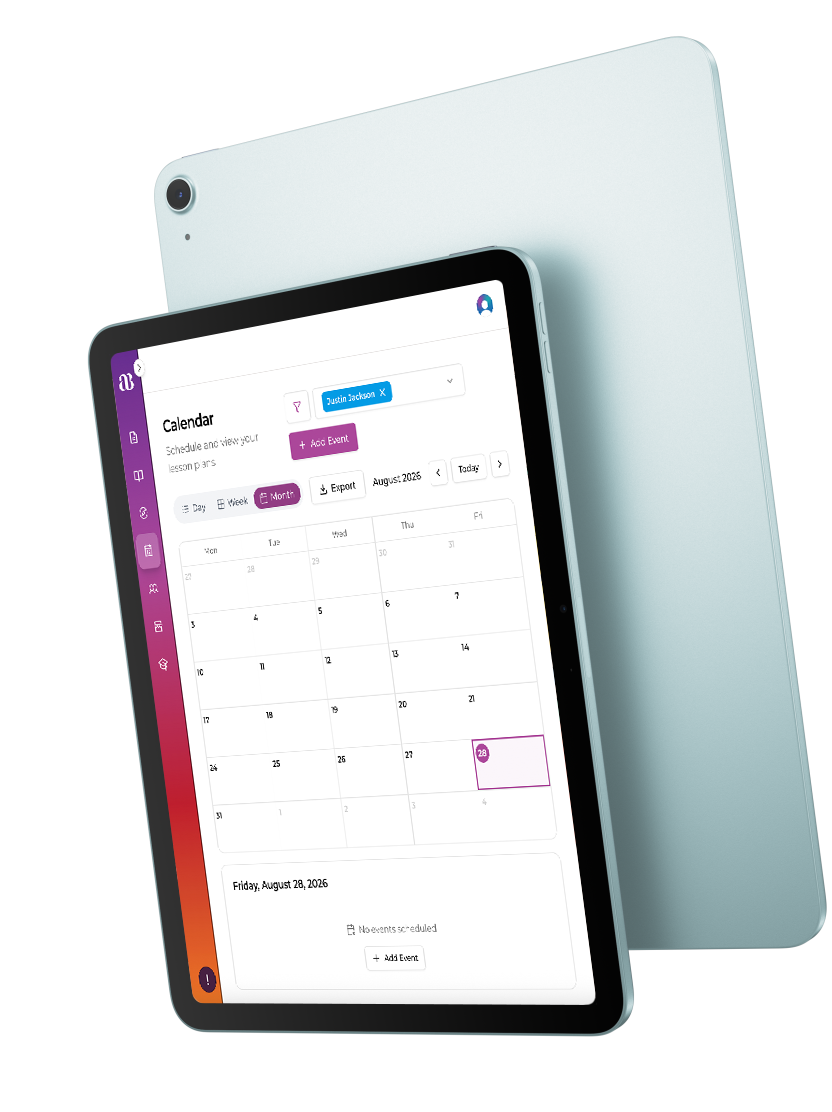
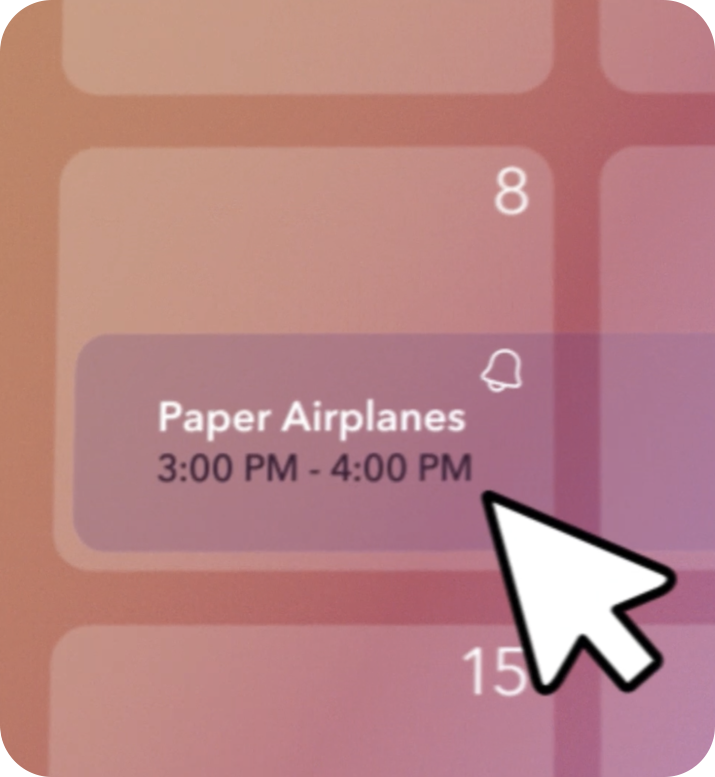
The AB Studios Calendar is the scheduling surface that sits on top of your content library and AI lesson planner. When you drag a session onto a day, the calendar is not making a copy, it is creating a link to the live plan in your library. Update the plan, and every scheduled instance updates with it.
Site, time, staff assignment, and view filtering all happen at the calendar layer, so the content stays clean and reusable. The same session can run on Monday at Site A and Friday at Site B without duplicating any files or losing any context. State standards alignment, materials guidance, and step-by-step instructions all travel with the session wherever it is scheduled. No student data is involved at any point. The calendar schedules sessions, not students. There are no student accounts and nothing student-facing in the platform. AB Studios collects limited staff account information, specifically name, email, and role, for authentication and platform access. That’s it.
After school was built on calendars borrowed from other industries. We built one that finally fits.