May 21, 2026
The Reason Your Program Calendar Falls Apart by Week Three (And What Fixes It)
You built the calendar. It looked great on a Monday.
By Thursday of week two, one staff member called out, two activities got merged into one, and someone ran the same STEM session they did last Tuesday because there was no time to figure out anything else.
Sound familiar? Most programs hit the same wall. And the reason is not a planning problem. The tools were never built for afterschool in the first place.
The Calendar Was Not the Problem. The System Was.
Your Google Sheet is doing its best. Your whiteboard too. But neither of them knows that your Thursday group leader just started last week, or that the field trip on the 14th pushed everything back a day, or that two sites are running completely different plans because no one had time to sync.
Most calendar tools are built to hold time. Afterschool needs a tool that holds the program.
When your schedule, content, and staff communication all live in different places, the calendar is always one callout away from falling apart.
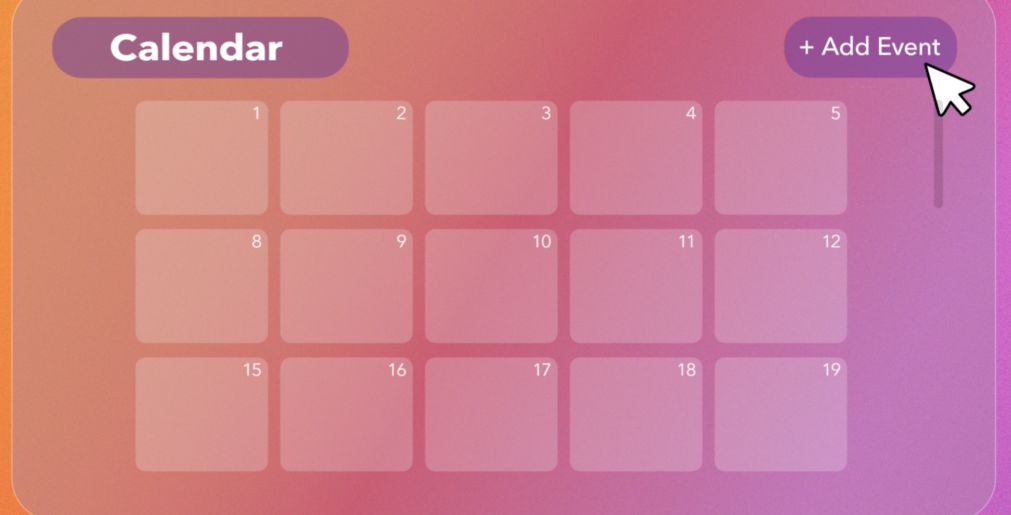
What the AB Studios Calendar Does
The AB Studios programming calendar was built around one question: what does a working afterschool program actually need?
The answer shaped everything about how it works.
When you drop a session onto a day, you are not only scheduling a placeholder. Instead, you are scheduling the lesson plan with materials, steps, and reflection prompts attached. Your staff opens the day, and the session is ready to run. No separate documents, no version control, no morning scramble to figure out what is happening that afternoon.
The calendar connects directly to the AB Studios content library and AI lesson planner. Generate a session with the AI planner, and it lands in your library. From there, schedule it onto any day, week, or site. Anything in your library can be scheduled with links back to its source plan.
When something shifts, everyone sees it instantly. No stale printed copies. No, hoping the right person got the memo.
What This Looks Like Across Your Sites
For coordinators managing multiple locations, the calendar has site-level views built in. Switch between day, week, and month, and filter by site. See one location at a time, or see your whole organization on a single screen. Now, nobody maintains five separate calendars.
For staff, they walk in, open the calendar, and know exactly what to run. Whether it is a substitute or someone with thirty years of experience, every student gets the same quality session.
A few scenarios coordinators tell us about:
Planning next week in ten minutes. Pull up week view, place five sessions from your content library onto Monday through Friday, and adjust times by dragging if you need to. Done. Your staff sees the week the moment you save.
Covering a last-minute callout. Your Tuesday lead is out. Swap in a different session from your library. Your sub walks in with a ready-to-run plan instead of forty-five minutes of free play.
Running the same theme across three sites. Schedule the session once, duplicate it to your other locations in two clicks. Every coordinator sees it. Every staff member walks in with the same plan.
Showing a funder what you ran. Pull up a month view, filter by site, and show exactly what programming ran, when, and aligned to which standards. No exporting, no formatting, no scrambling the night before the report is due.
How Is the AB Studios Calendar Actually Different?
Here is what changes when your calendar is connected to the rest of your program.
| Generic Calendar Tools | AB Studios Calendar | |
| Built For | Anyone scheduling anything | Site coordinators planning afterschool sessions |
| Connected To | Standalone calendar, nothing else | Your course content library and AI lessons in one |
| What You Schedule | Generic blocks of time | Actual session plans with materials and steps inside them |
| View Options | Usually one default view | Drag-and-drop across day, week, and month views |
| Multi-Site Support | Manual setup, separate calendars | Built-in views for every site you run |
| Staff Visibility | Everyone sees the same thing or nothing | Each staff member sees what they need to run today |
| Setup Time | Hours of configuration | Drag a session onto a day. That’s it. |
| What It Replaces | Another calendar tool | Spreadsheets, printed schedules, group chats, and guesswork |
What Changes When the Calendar Holds
When staff know what they are walking into and directors can see what is happening across their sites, a lot less falls through the cracks.
Planning stops living in one person’s head. The institutional knowledge that walks out the door when a coordinator moves on stays in the system where everyone can use it. Consistency stops being something you fight for every week. Every site works from a living plan, not whatever the most organized person on staff managed to build that morning.
One note worth naming: no student data is involved at any point. The calendar schedules sessions, not students. AB Studios collects limited staff account information, name, email, and role, for authentication and platform access. That is it.
Afterschool was built on calendars borrowed from other industries. This one was built for you.
Ready to see it in action? Book a demo at abstudios.com

September 1, 2026
5 Afterschool Norms That Keep…

September 1, 2026
From Login to First Activity:…

September 1, 2026
12.6 Million Students Missed Out…
July 28, 2026
10 Tips for Back to…